Designing a SaaS Spend Management Platform from the Ground Up
Designed a B2B SaaS platform that helps small businesses understand how much they spend on SaaS software and identify opportunities to reduce costs. I also designed workflows for accountants and bookkeepers, enabling them to analyze and optimize SaaS spending on behalf of their clients.
Overview
AppVentory is a B2B SaaS spend management platform designed for small businesses, accountants, and bookkeepers in the US and UK markets. Our founders had extensive experience in the accounting and bookkeeping industry and had strong connections with professionals who used platforms such as Xero, QuickBooks, FreshBooks, and other accounting software.
When I joined AppVentory as a Product Designer in early 2024, the product was still just an idea on paper. The founders had already spoken with potential users in the accounting and bookkeeping industry and conducted user interviews, surveys, and research. They shared the documented findings with me, giving me a clear understanding of the users, their challenges, and the product vision.
Using this research as the foundation, I started designing the product from the ground up.
Small business owners and bookkeepers had zero unified visibility into recurring SaaS subscriptions, forgotten free trials, and seat utilization. Spreadsheets were manually compiled and outdated within weeks, leading to thousands of dollars in surprise auto-renewals, unbudgeted billing, and security blind spots.
Designed an automated SaaS discovery engine and license optimization command center that connects directly with accounting software (Xero, QuickBooks). The platform surfaces redundant tools, alerts teams 60 days before contract auto-renewals, and provides a multi-client portal tailored for external CPAs and bookkeepers.
User Research & Discovery
After reviewing the user research and interview findings shared by the founders, my next step was to understand the problems users were facing. I carefully reviewed the interview responses to identify common patterns, goals, frustrations, and challenges, which helped me create two primary user personas representing the platform’s target users. To better empathize with each user group, I then created empathy maps using the most common responses from the research. This helped me understand what users think, feel, do, and struggle with, giving me a clearer view of the problem from their perspective and helping guide more informed design decisions throughout the project.
Eric Jackson - Small Business Owner

Eric Jackson
Founder & Managing DirectorGoals
- Keep SaaS spending under control.
- Never miss a software renewal.
- Pay only for licenses the team actually uses.
- Save money by removing unused software.
Pain Points
- Renewal dates are spread across different tools.
- Hard to know where the business is spending money.
- Paying for licenses employees no longer use.
- Managing SaaS subscriptions takes too much time.
"I want to spend money on the right software, not waste it."
Empathy Map
SAYS
THINKS
DOES
FEELS
User Story
As a business owner, I want to manage my company's SaaS spending, renewals, and software licenses in one place so I can reduce unnecessary costs and make better decisions.
Olivia Brown - Accountant & Bookkeeper

Olivia Brown
Senior BookkeeperGoals
- Track SaaS spending for all clients in one place.
- Help clients reduce unnecessary software costs.
- Stay informed about upcoming renewals.
- Save time while managing multiple client accounts.
Pain Points
- Client subscriptions are scattered across platforms.
- Difficult to track renewals for multiple clients.
- Hard to identify unused licenses.
- Manual SaaS spending tracking is time consuming.
" My clients trust me to help them save money, not just manage their books. "
Empathy Map
SAYS
THINKS
DOES
FEELS
User Story
As a bookkeeper, I want to manage SaaS spending, renewals, and software licenses across multiple client businesses from one platform so I can save time and help my clients optimize software costs.
Key Research Insights
Invisible Auto-Renewals
Nearly three-quarters of SMBs missed a 30-day cancellation deadline in the past 12 months, locking them into expensive unwanted annual contracts.
Redundant Software Tools
Different departments were independently paying for overlapping tools (e.g. Asana + Trello, Zoom + Google Meet, Notion + Miro).
Spreadsheet Shelf Life
Manual tracking spreadsheets were invariably abandoned within two months because keeping up with employee seat additions was too tedious.
Benchmarking
After identifying the target users and their pain points, I wanted to understand how existing SaaS spend management platforms approached these challenges. I conducted a competitor audit to study common workflows, feature sets, and user experiences. This helped me identify industry best practices as well as opportunities where AppVentory could differentiate itself.
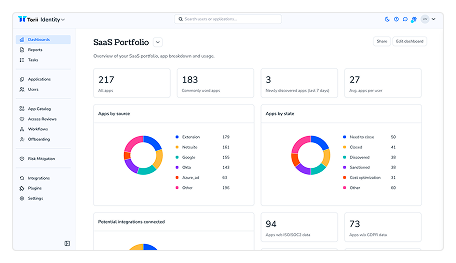
Torii HQ
Powerful platform but designed primarily for enterprise users, making it complex for small businesses.
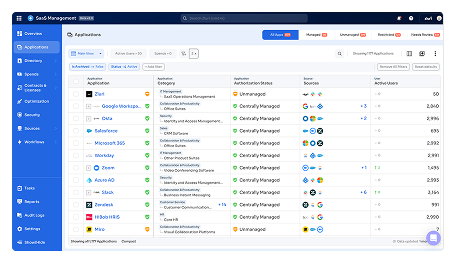
Zluri
Strong SaaS discovery and license management, but information heavy dashboards can overwhelm users.
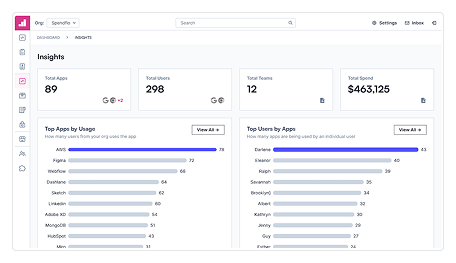
Spendflo
Good focus on SaaS procurement and renewals, highlighting the importance of cost optimization.
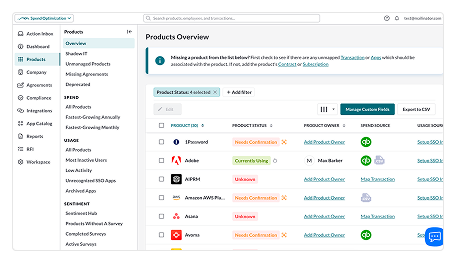
BetterCloud
Excellent IT management capabilities but requires significant setup before users see value.
Product Goal
After reviewing the user research findings and business goals, my next step was to create a focused design strategy. I aligned both business viability and user utility to ensure every feature delivered measurable cost savings and streamlined collaboration between business owners and their external bookkeepers.
Business Goals
- • Drive rapid platform adoption by offering automated software discovery via 1-click accounting sync.
- • Increase user retention through predictive renewal radar alerts and monthly spend trend reports.
- • Build a scalable multi-tenant architecture for bookkeepers and CPA firms managing multiple client accounts.
- • Deliver measurable financial ROI within 14 days by surfacing at least 15% in software savings.
User Goals
- • Gain complete, automated visibility into every SaaS subscription without manual data entry.
- • Stop unwanted auto-renewals with customizable advance notice alerts (60-day & 14-day).
- • Quickly identify and de-provision inactive, unused, or duplicate employee software licenses.
- • Seamlessly export clean, categorized spend reports for tax preparation and monthly accounting sync.
Information Architecture
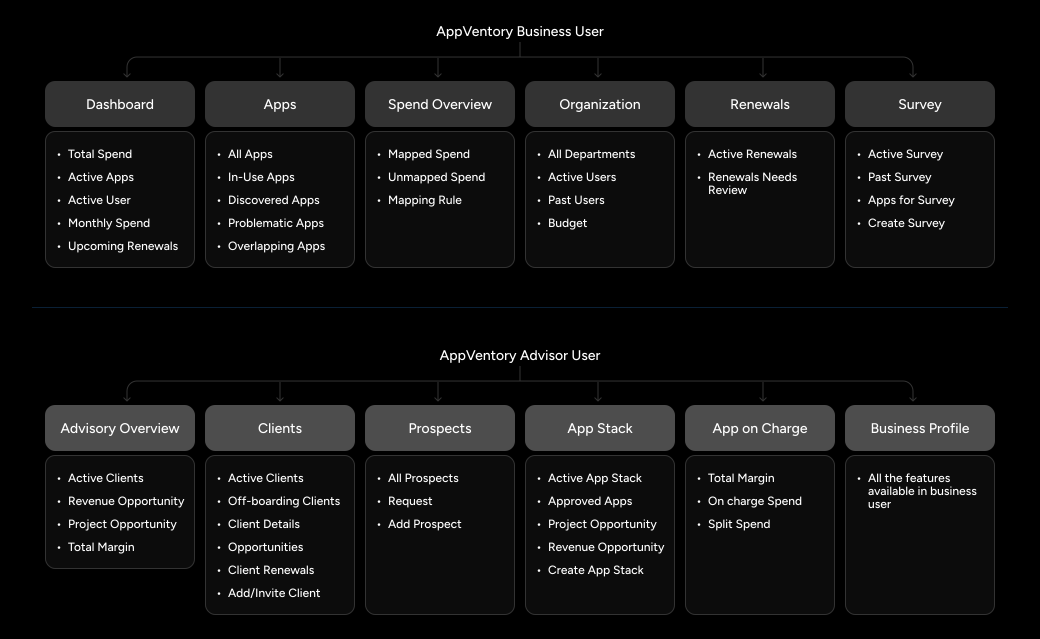
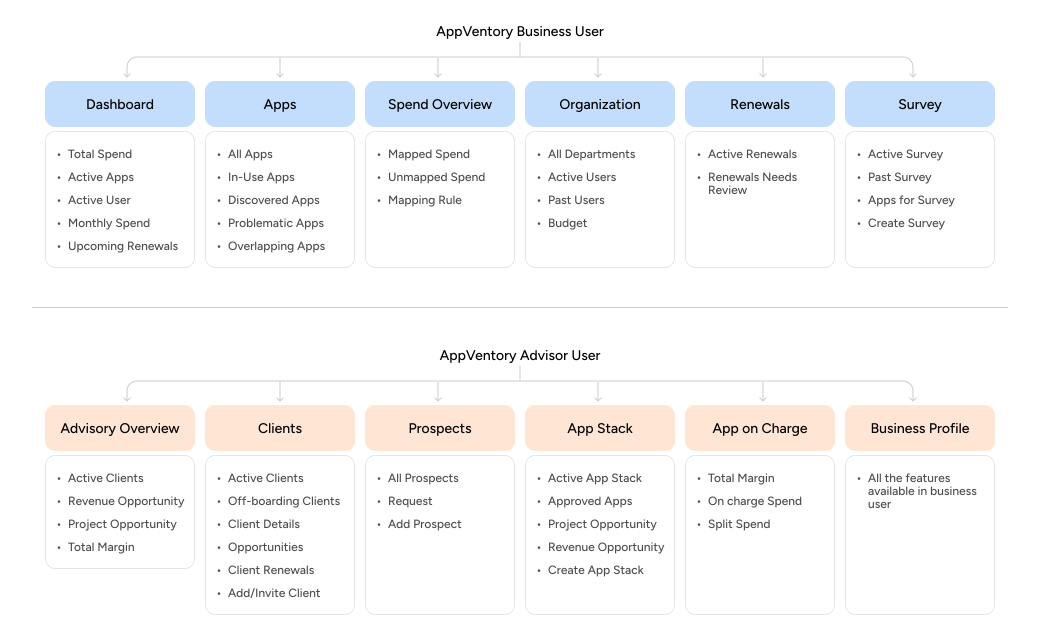
I mapped the platform into two primary experiences: a direct business view for single organizations and an aggregated accountant hub for multi-client operations. This ensured clean separation of concerns while keeping shared software telemetry consistent.
Lo-fi Wireframes
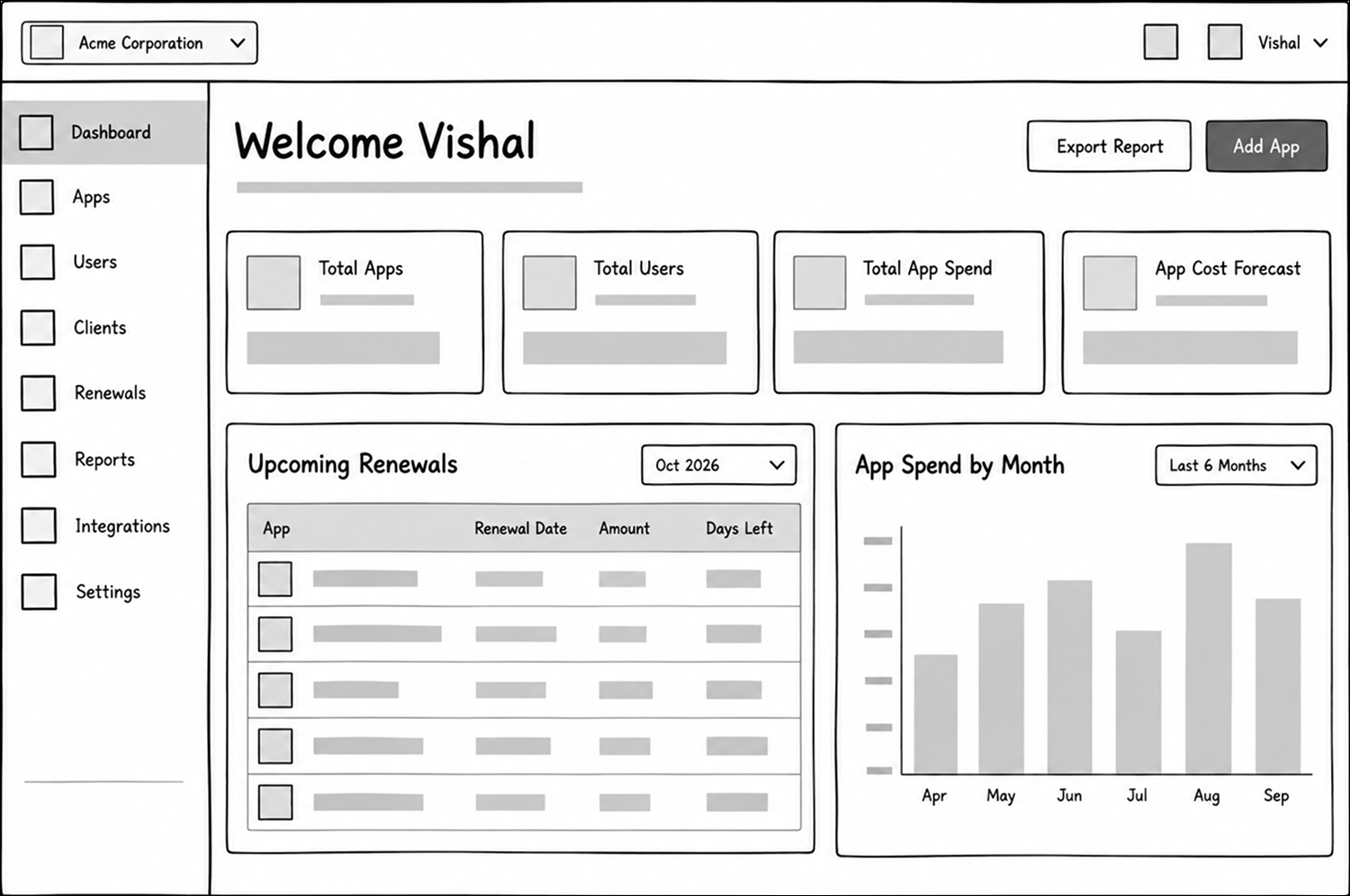
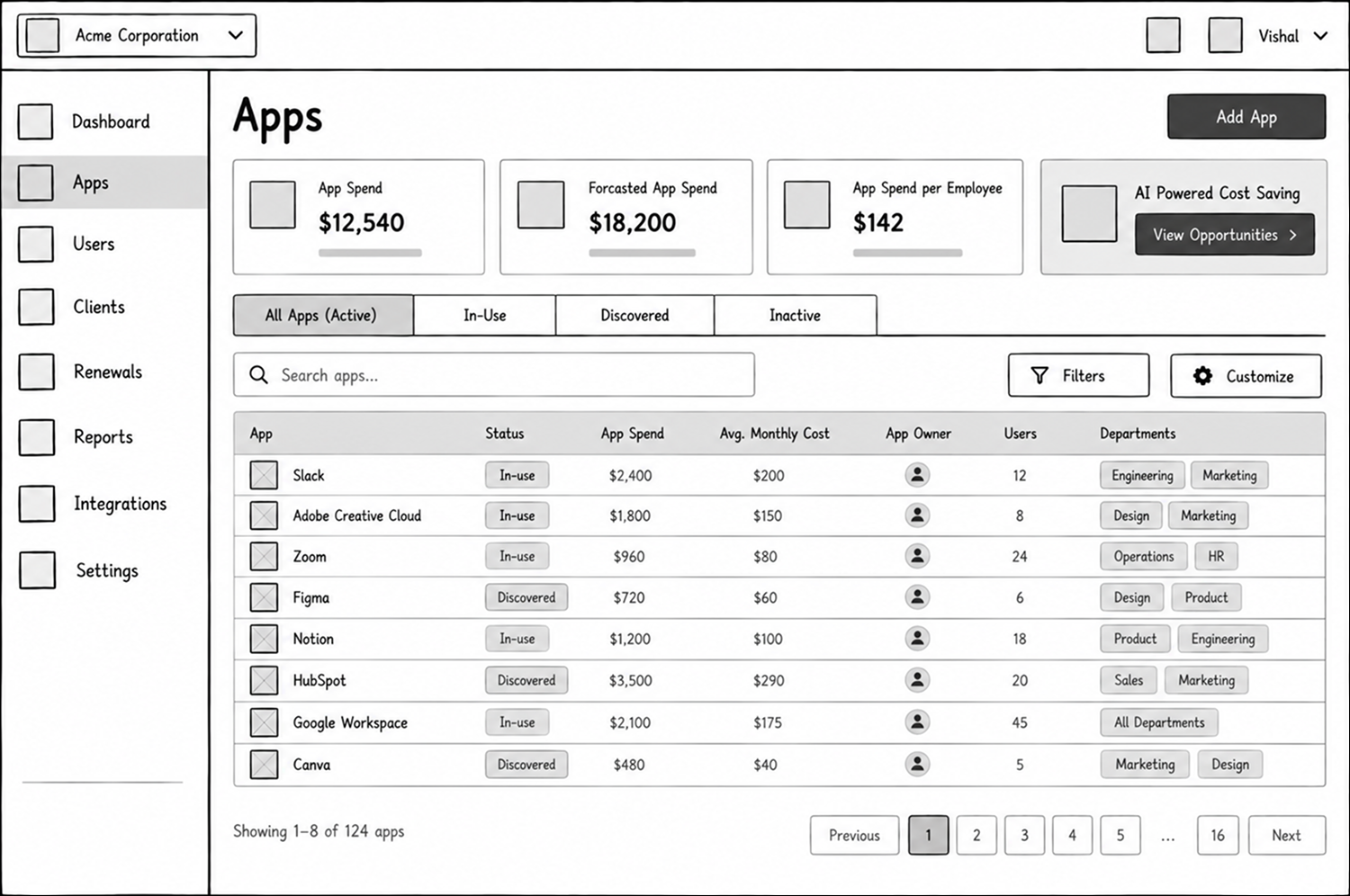
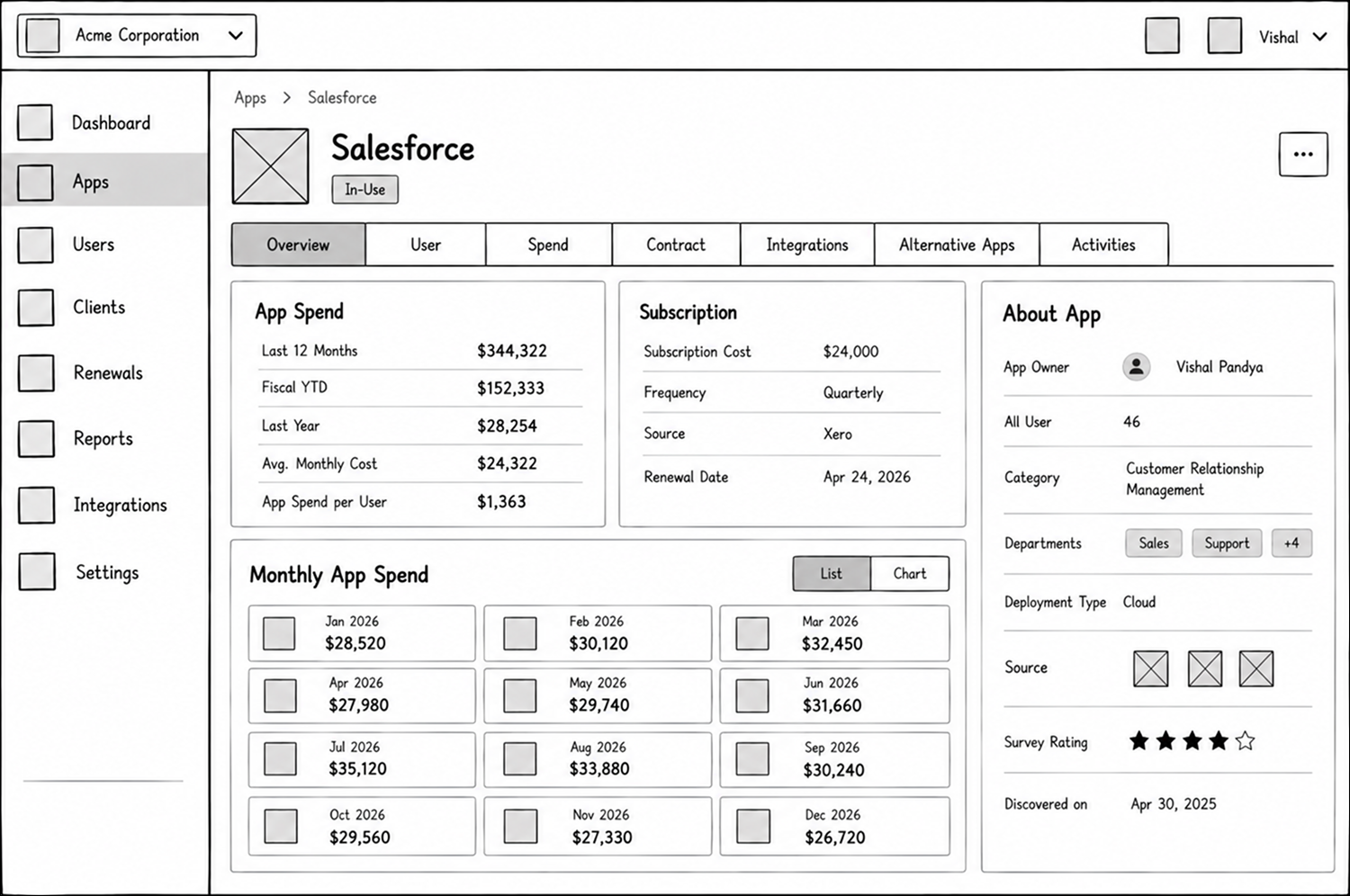
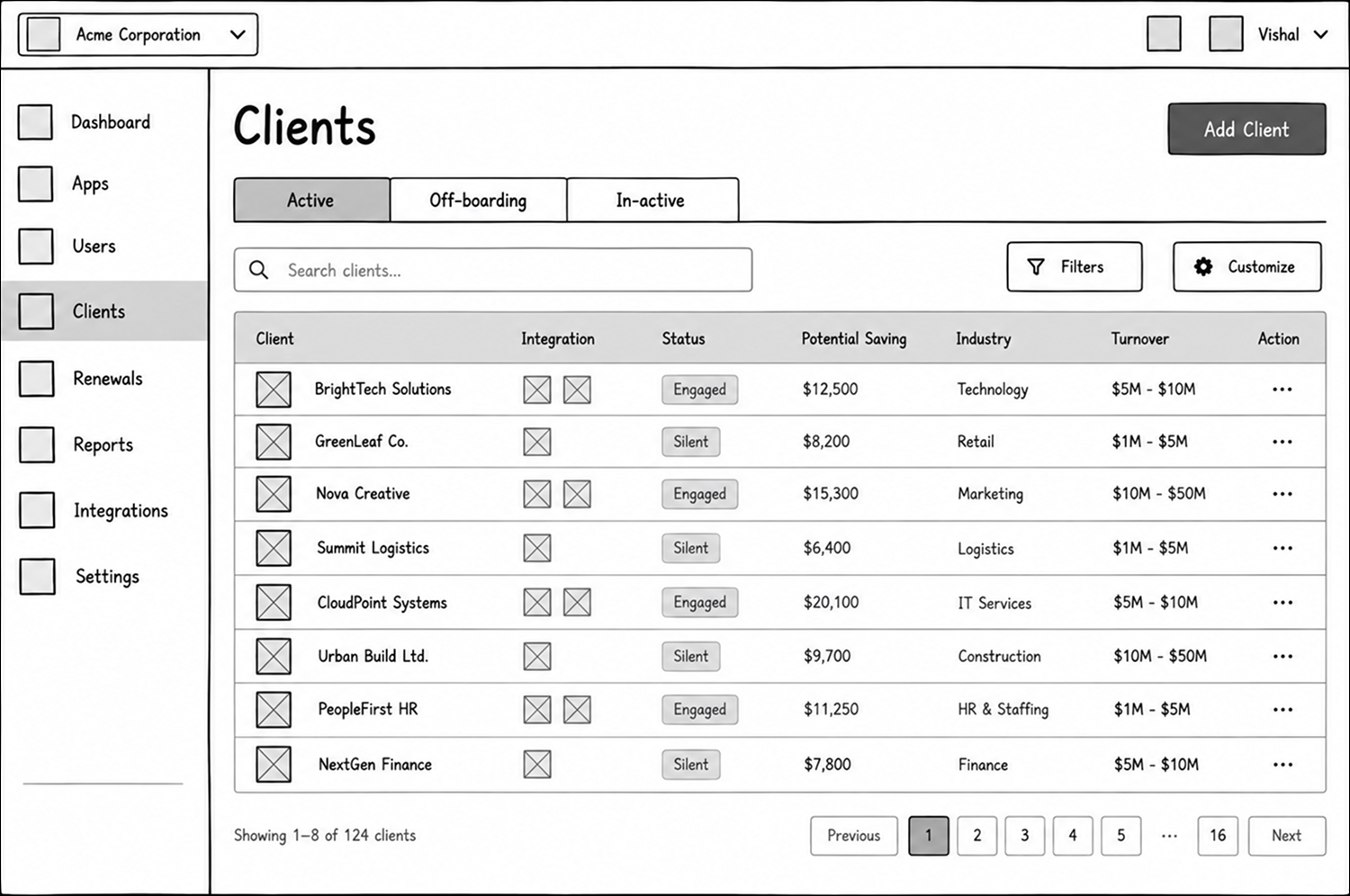
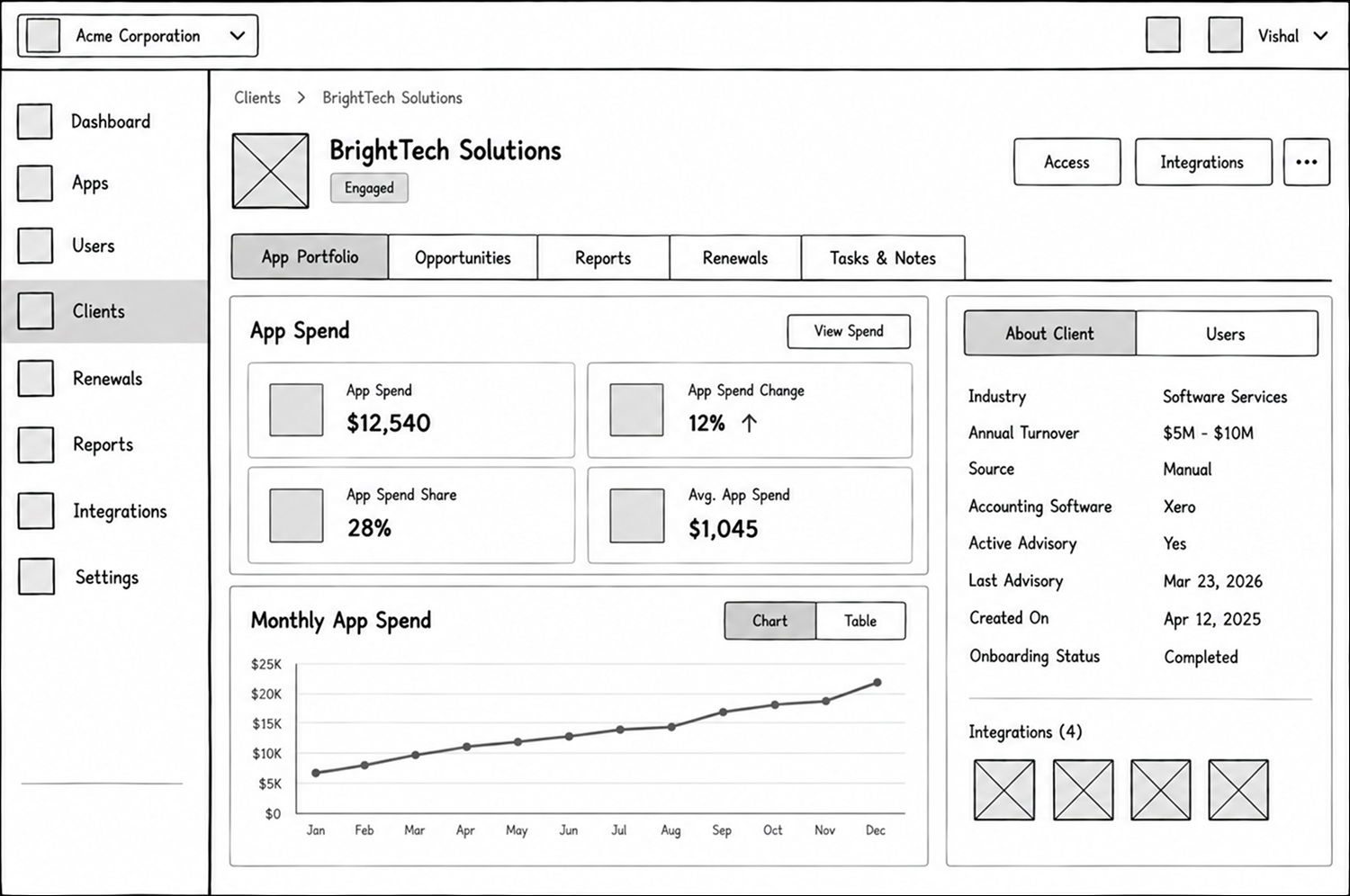
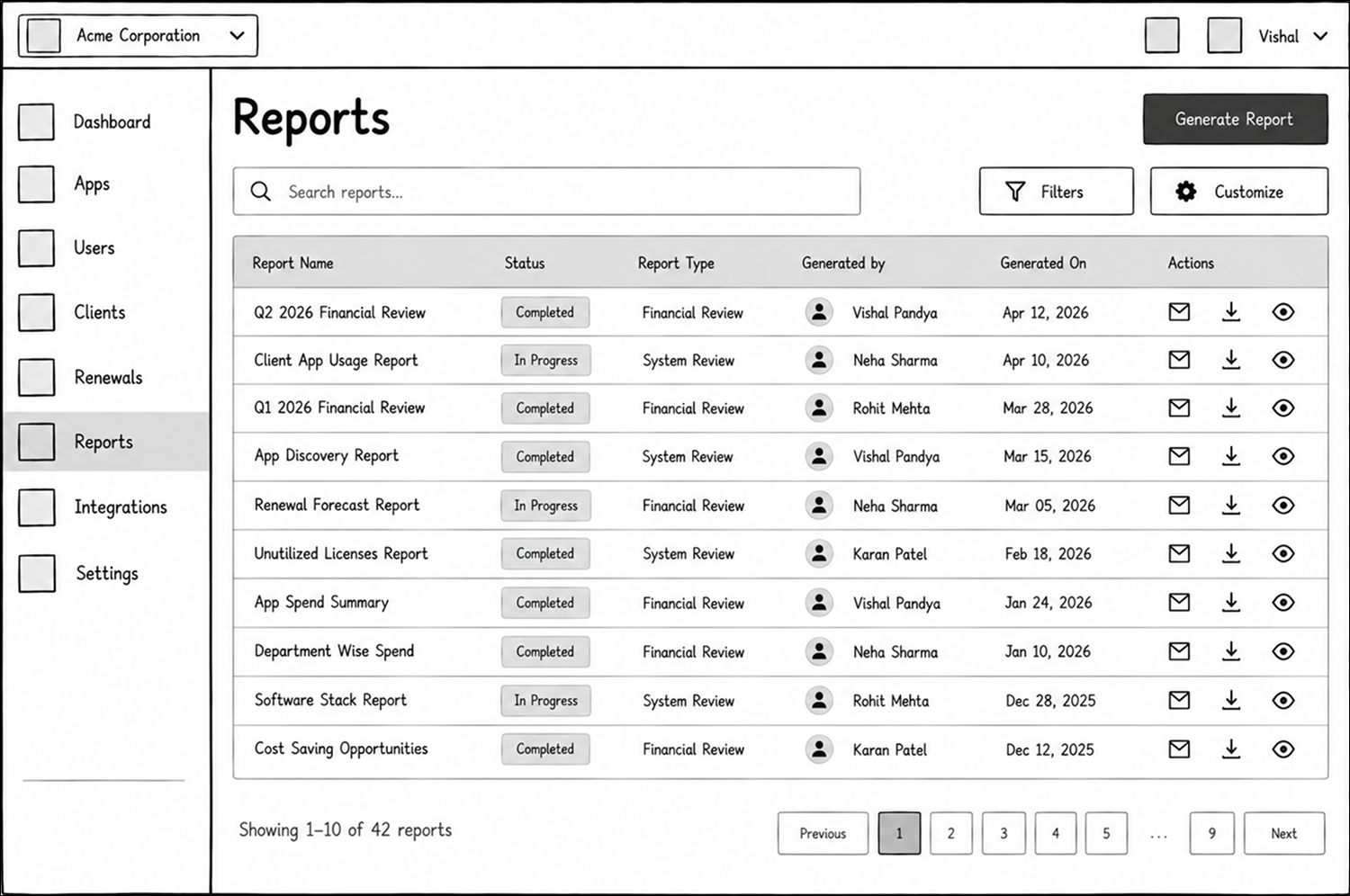
From the initial sketches to low-fidelity digital wireframes, I focused on validating core layouts: dashboard metric cards, high-density table views with responsive filters, client and app detail side-drawers, and the multi-client switcher for external bookkeepers.
Scalable Design System
As AppVentory grew from an early concept into a complex product, maintaining consistency across every new workflow became increasingly important. I built a scalable design system with reusable components, clear design tokens, typography, spacing, and interaction patterns, giving the product a consistent foundation while making it easier to design and expand new features.
Color System
Consistent color tokens for scalable design and clear visual hierarchy.
Typography
A flexible type system with predefined styles for clear, readable interfaces.
Spacing and Radius
Consistent spacing, sizing, and corners using design tokens.
Icons
A huge icon set designed to stay clear, meaningful and visually aligned.
Shadow and Blurs
Depth and elevation styles that add clarity, focus, and visual rhythm.
Components
Reusable components and controls for consistent, seamless interfaces.
Final Designs
After multiple rounds of research, testing, and iteration, the final designs brought the core AppVentory experience together. Each screen was refined to make complex software spend data easier to understand, helping users manage apps, clients, renewals, and reports through clear and consistent workflows.
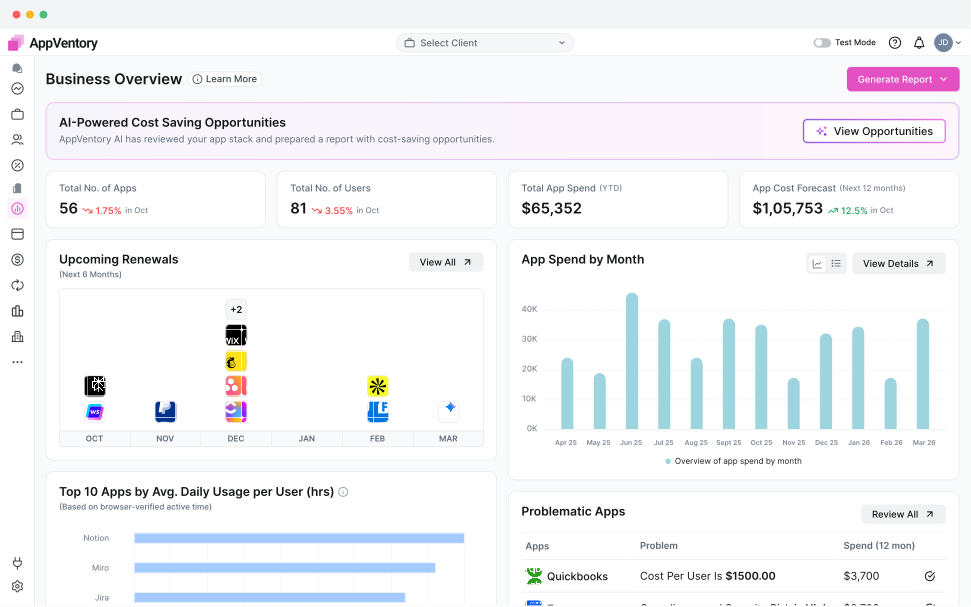
Dashboard
A focused overview that brings key spend, usage, renewal, and cost insights together, helping users quickly understand what needs attention.
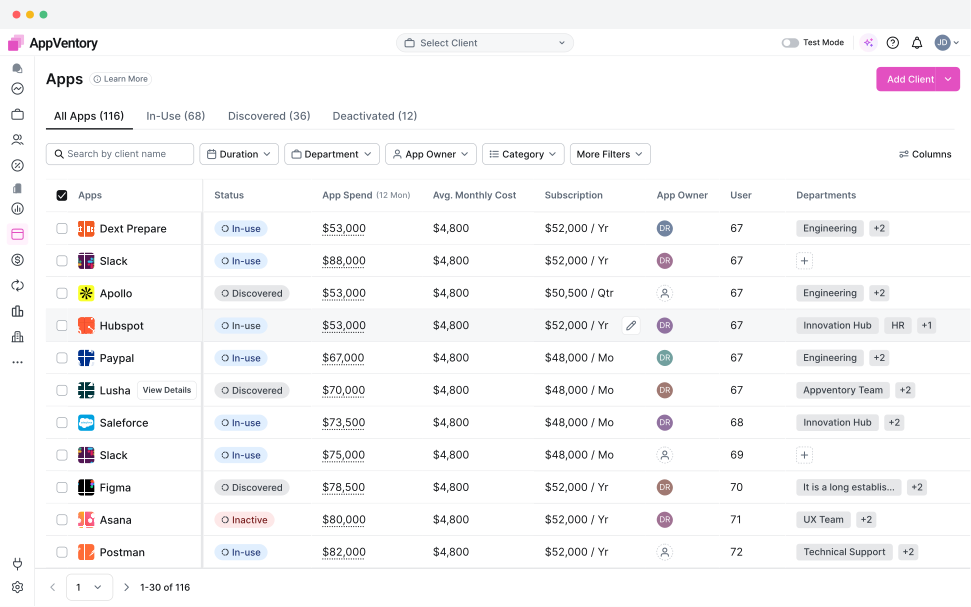
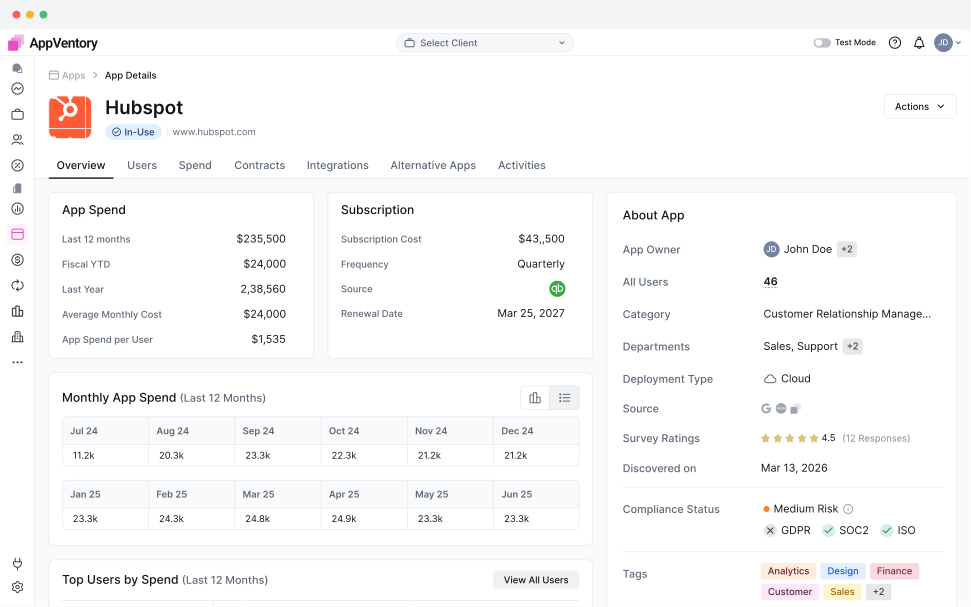
App Portfolio
A structured way to manage the complete app portfolio, with detailed views for spend, usage, subscriptions, ownership, and other key app information.
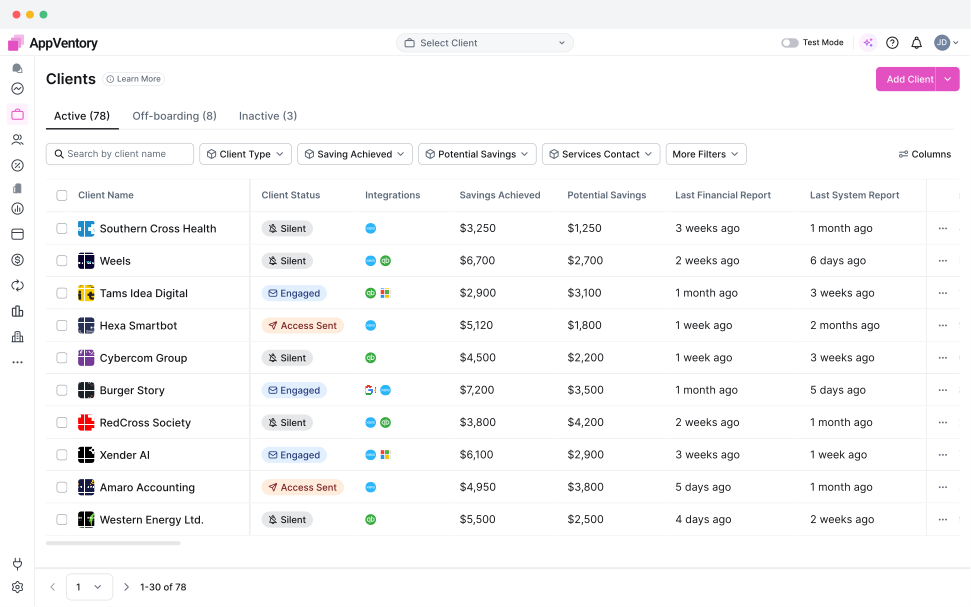
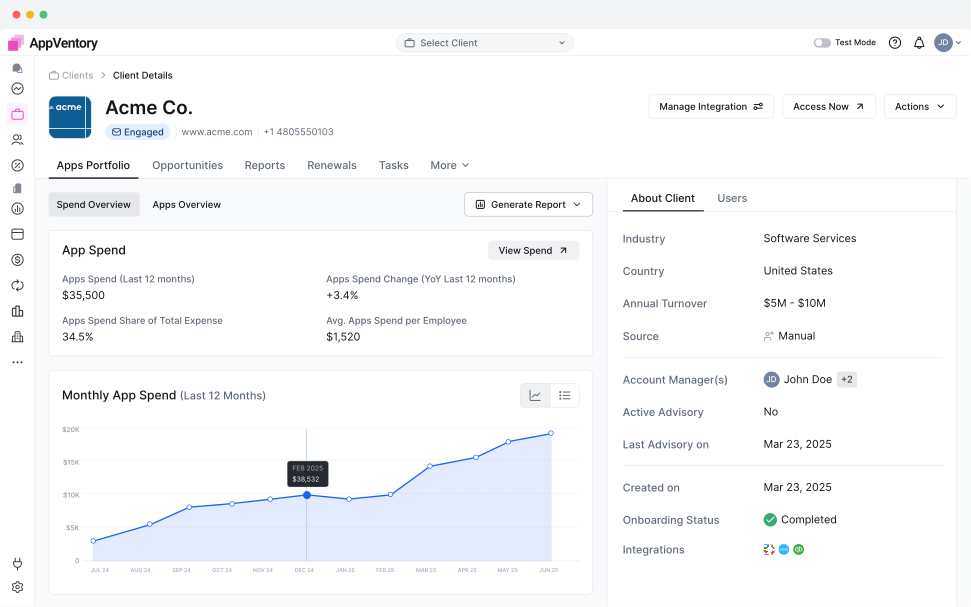
Client Management
A clear client management experience that makes it easy to switch between clients and understand their software portfolio, spend, and account details.
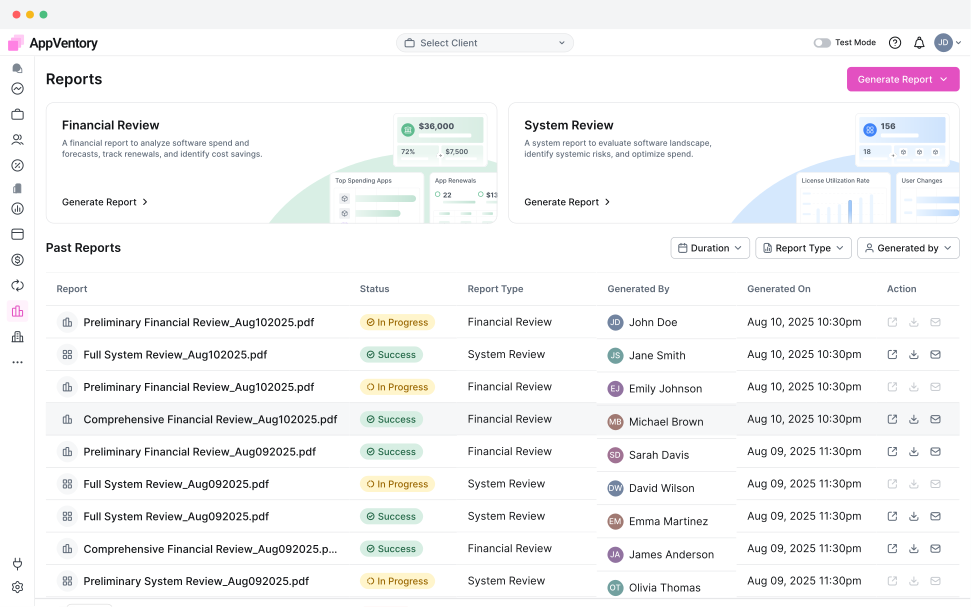
Reports
A flexible reporting experience that helps users turn software and spending data into clear, useful reports for analysis and decision making.
Usability Test
Our founders attended accounting events such as Xerocon and the Digital Accountancy Show across the US and UK to meet target users and conduct moderated usability testing using interactive Figma prototypes.
They tested key product workflows with small business founders, bookkeepers, and fractional CFOs, helping us identify usability issues and improve the product based on real user feedback.
Key Insights
Task Completion Time
Users completed key spend management workflows 42% faster with simplified navigation and streamlined task flows.
Less Manual Review
Reduced manual effort required to review and correct imported spend data through improved mapping workflows.
Higher Onboarding Completion
More users successfully completed the initial setup and accounting connection flow without additional assistance.
Iterations
Usability testing revealed three crucial areas of cognitive friction. Based on participant feedback, I iterated on the UX before production handoff:
Faster Integration Through Onboarding
Moving the accounting integration process into onboarding allowed users to connect their accounting platform while setting up their account, reducing friction and helping them reach the product faster.
35% faster integration setup
Automating Repetitive Mapping Tasks
Custom mapping rules allowed recurring spend data to be mapped automatically, reducing repetitive manual work and making future imports faster and more consistent.
60% less manual mapping
Proactive Renewal Alerts
Renewal alerts gave users timely visibility into upcoming software renewals, helping them review subscriptions and take action before renewal dates.
40% better renewal visibility
Learning
Designing AppVentory from zero to one taught me that good product design is not just about simplifying screens. It is about understanding different users, making complex decisions easier, and building trust into every interaction.
Turn Data Into Action
Users do not need more dashboards or more data. They need clear signals that help them understand what matters and what action to take next.
Design for Different Users
Founders, accountants, and bookkeepers may use the same product, but their goals and workflows are very different. Designing for their specific needs made role based experiences essential.
Make Complex Decisions Clear
Financial decisions require confidence. Clear context, meaningful explanations, and transparent data help users understand why something needs their attention before they take action.
Other Case Studies
Building a Lightning Payment Gateway from Foundation to MVP
Designed a Lightning Network Bitcoin payment gateway from the ground up, creating a simple and efficient experience for sending, receiving, and managing crypto payments.
Designing Booz Mobility: Simplifying Electric Scooter Rentals
Designed an Android app that simplifies electric scooter rentals, allowing users to find nearby scooters, unlock them, track rides, and complete rentals through a simple mobile experience.